You signed up for Fit for Less thinking it would be the perfect budget-friendly workout spot. Now life has changed, your schedule is packed, or you simply want to save a few bucks each month. Suddenly those bi-weekly charges feel like an unwanted reminder.
Sound familiar? You are not alone. Thousands of Canadians search every month for how to cancel Fit for Less membership after their goals shift or they find a better routine.
The good news? The process is straightforward once you know the official steps and your home club details. Here, you will learn every approved way to stop your Fit for Less membership, from the quick self-service kiosk to a simple phone call.
Why People Decide to Cancel Fit for Less Membership
Fit for Less offers affordable gym access with no long-term contracts on most plans, which makes it popular across Canada. Still, circumstances change. Maybe you moved, switched to home workouts, or just need to trim your budget.
Bi-weekly payments of around $8 or $14 can add up, especially if you are not using the club regularly. Plus, life gets busy and it is easy to forget you even have an active membership.
The most important thing to remember is that Fit for Less handles everything through your specific home club. You do not need a central website or app. Everything stays simple and local.
How to Cancel Fit for Less Membership: Official Methods
Fit for Less makes cancellation easy but requires you to act at your home club, the location where you originally signed up. Here is exactly what to do.
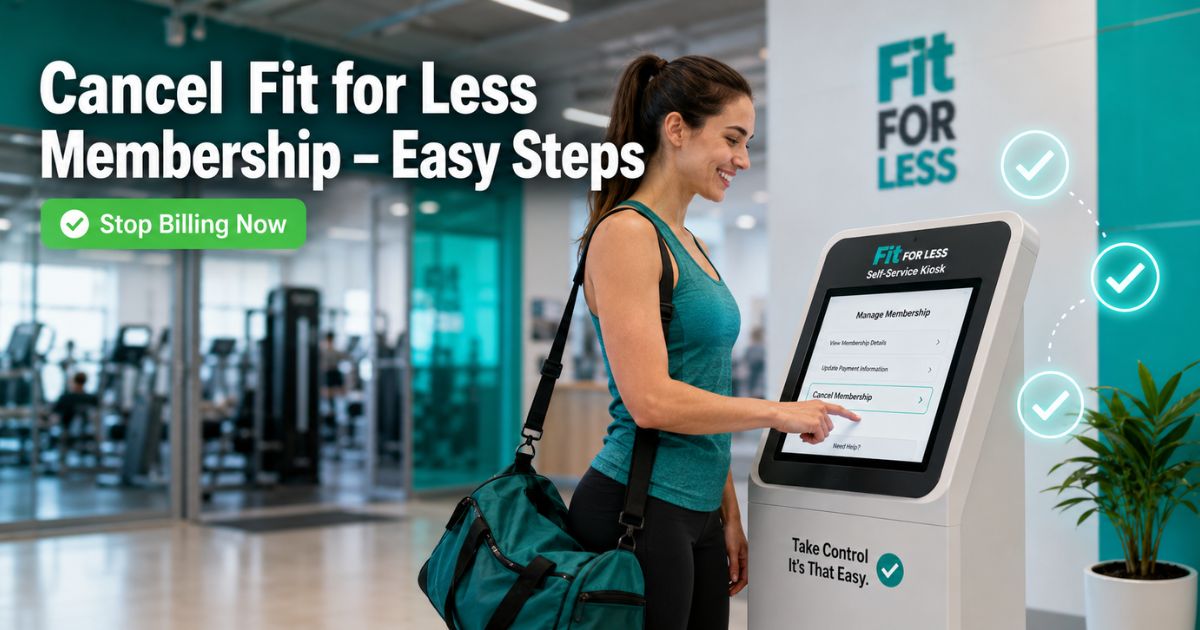
Option 1: Use the Self-Service Kiosk (Quickest In-Person Method)
Many clubs have a convenient self-service kiosk right in the front vestibule.
- Head to your home club during open hours.
- Locate the kiosk near the entrance.
- Tap the screen to wake it up and follow the prompts for membership services.
- Select the cancellation option and confirm your details for cancel membership.
The system walks you through everything in just a few minutes.
Option 2: Cancel Fit for Less Membership by Phone
Call your home club directly and speak with a team member.
Find your club’s phone number by visiting fit4less.ca/locations and searching your city or postal code. Have your membership card or email ready. The friendly staff will guide you through the process and confirm your cancellation request.
Pro Tip
Always note the exact date and time you request cancellation. This helps you track the 30-day notice period and avoid any surprise charges on your next billing cycle.
What Happens After You Request Cancellation?
You must give at least 30 days’ notice. Your membership stays active during that time so you can still work out, but billing stops after the notice period ends. If you purchased a 1-Year Paid in Full membership, it is non-refundable.
Alternative Ways to Cancel Fit for Less Membership
While the kiosk and phone are the official routes, some members also email or visit in person for extra confirmation.
- In-person at the front desk: Ask a staff member for the cancellation form, fill it out, and submit it on the spot. Bring photo ID.
- Email your home club: Send a clear written request with your full name, membership number, and reason. Keep a copy of the email.
These methods work best when combined with the official kiosk or phone request.
Here is a quick comparison to help you choose:
| Method | Time to Complete | Best For | Confirmation Received |
|---|---|---|---|
| Self-Service Kiosk | 5 minutes | Fastest, no waiting | On-screen + email |
| Phone to Home Club | 5-10 minutes | Need help or questions | Email or verbal |
| In-Person Desk | 10-15 minutes | Prefer face-to-face | Signed form |
| 1-2 business days | No club visit possible | Reply email |
Real-Life Example
Take a 32-year-old marketing coordinator in Toronto. She joined Fit for Less last year for convenient workouts near her office. After a job change she rarely made it to the club and noticed the bi-weekly charges piling up.
She drove to her home club on a lunch break, used the self-service kiosk in the vestibule, and finished the request in under five minutes. She received instant on-screen confirmation and an email within the hour.
Now she checks her bank statement once a month and feels great knowing she is saving money without any hassle.
Common Mistake
Many people try to cancel through the main Fit4Less website or a general customer service line. There is no central online portal. You must contact your specific home club either at the kiosk or by phone. Using the wrong method can delay your cancellation by weeks.
Another frequent error is assuming your membership ends immediately. Remember the 30-day notice rule so you are not surprised by one final charge.
Helpful Tips to Make Fit for Less Cancellation Smooth
- Locate your home club first at fit4less.ca/locations so you know exactly where to go or who to call.
- Bring photo ID and your membership card to speed things up.
- Set a calendar reminder for 30 days after your request so you can confirm billing has stopped.
- If you are within the first few days of signing up, ask about your province’s Consumer Protection Act cooling-off period for a faster cancellation.
These small steps keep everything stress-free and protect your wallet.
FAQs About Fit for Less Cancel Membership
How long does it take to cancel Fit for Less membership?
Fit for Less requires at least 30 days’ notice for any cancellation. You can submit your request instantly at the self-service kiosk or over the phone, but your membership and access remain active during that notice period before billing fully stops.
Can I cancel Fit for Less membership online or through an app?
No, there is no online portal or app for cancellation. You must use the self-service kiosk at your home club or call your specific home club directly. This keeps the process simple and secure.
What if I have a 1-Year Paid in Full Fit for Less membership?
These memberships are non-refundable. You can still request cancellation, but you will not receive any money back for the remaining months. The 30-day notice still applies for stopping future access if needed.
Conclusion
Canceling your Fit for Less membership is simpler than most people expect. Whether you use the handy self-service kiosk, pick up the phone, or combine methods, the key is acting through your home club and giving the required 30 days’ notice.
Remember the main points: know your home club location, prepare your details ahead of time, and always save your confirmation. You will stop those recurring charges and free up your budget for whatever comes next.
Disclaimer: This content is for informational and educational purposes only and does not constitute professional, financial, legal, or medical advice. The information provided may not apply to your specific situation. Always consult a qualified professional for personalized guidance.

![How to Cancel PureGym Membership? [Step-by-Step]](https://cancelmembership.net/wp-content/uploads/2026/10/puregym-membership-cancellation-768x403.jpg "How to Cancel PureGym Membership? [Step-by-Step] 2")


![How to Cancel Quick Quack Membership? [Step-by-Step]](https://cancelmembership.net/wp-content/uploads/2026/10/quick-quack-membership-cancellation-768x403.jpg "How to Cancel Quick Quack Membership? [Step-by-Step] 5")