Cancel Quick Quack membership using the current membership-management or support method published for your account. Quick Quack’s public website confirms its unlimited wash memberships, but I could not verify a current public cancellation procedure detailed enough to safely publish exact steps without qualification.
Deleting an app or stopping car-wash visits does not cancel recurring billing. This guide explains how to identify the active plan, document the request, and avoid relying on outdated cancellation instructions.
What Is Quick Quack Membership and How Billing Works
Quick Quack Car Wash sells recurring unlimited wash memberships. The membership is associated with the customer account and vehicle information used at enrollment.
Recurring charges continue under the membership terms until the plan is canceled or otherwise ends. The exact billing date and cancellation cutoff should be confirmed from your account or current membership terms.
Quick Quack operates a large network of locations, but public pages available during this review did not provide a clear current step-by-step consumer cancellation page.
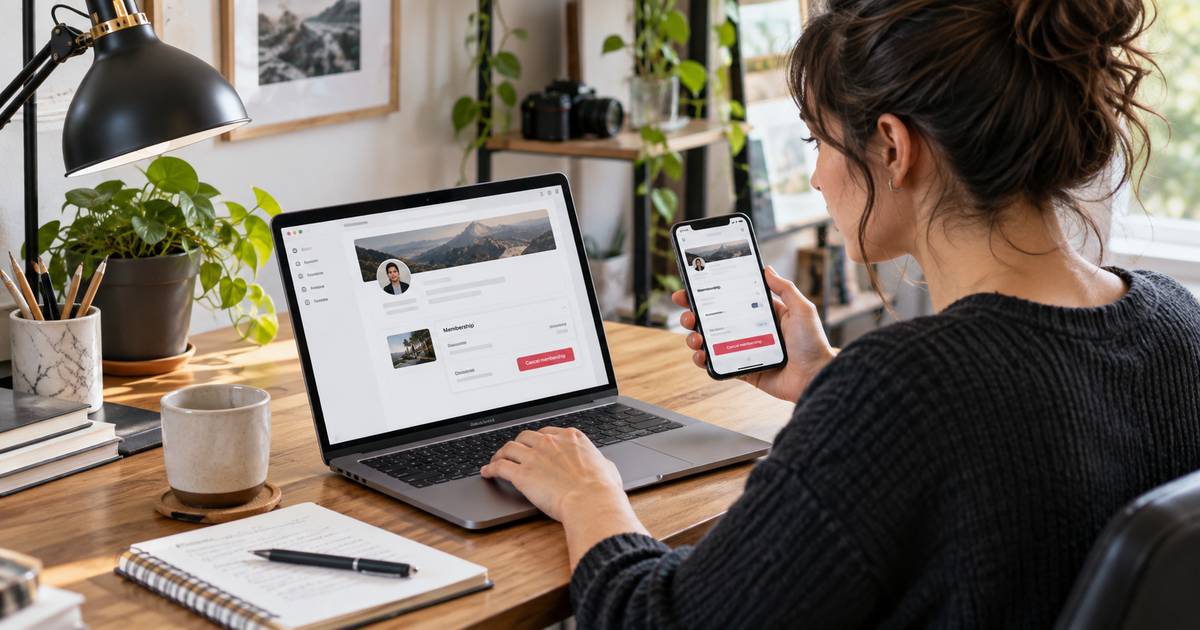
Quick Quack’s official FAQ confirms that you can cancel through your myQQ account under Account > Settings > Cancel Your Membership, or call Customer Care at 888-772-2792. Visit https://www.quickquack.com/faq for current instructions.
How to Identify the Active Quick Quack Plan
- Check the most recent Quick Quack receipt or recurring card charge.
- Sign in to any membership account you use.
- Confirm the vehicle or license plate tied to the plan.
- Find the next renewal date.
- Use the current official membership or support area to request cancellation.
If you have changed vehicles or had multiple memberships, make sure you are closing the active recurring plan rather than an older record.
How to Request Cancellation Safely
Use the cancellation method shown in the current Quick Quack account or official support channel. State clearly that you want the unlimited membership canceled and future recurring charges stopped.
Include the member name, vehicle details, and membership identifier if the system requests them. Do not post full payment details in an unsecured message.
Use myQQ > Account > Settings > Cancel Your Membership, or call Quick Quack Customer Care at 888-772-2792. According to Quick Quack, your membership stays active through the paid billing period, with no further payments drawn after cancellation.
Confirm the Final Billing Date
Ask when the cancellation becomes effective and whether the next monthly charge is already scheduled. Wash-club cancellations often use a processing cutoff, but you should not assume another company’s cutoff applies to Quick Quack.
If support gives you a final billing date, save it with the cancellation confirmation. That makes it easier to identify an unexpected charge later.
Do not wait until the last day before renewal if you already know you want the plan to end.
What Happens After You Cancel
Future recurring billing should stop after the effective cancellation date. Access may continue through a paid period depending on the membership rules.
Keep any email, case number, or account confirmation until the next renewal date passes.
If the account still shows an active recurring plan after cancellation, contact official Quick Quack support again and provide the earlier confirmation.
Refunds and Charges After Cancellation
I could not verify a current public Quick Quack refund rule that applies to every consumer membership. Do not promise or expect an automatic refund for unused wash time.
If you believe a charge posted after the confirmed cancellation date, ask Quick Quack to review that transaction specifically.
If the company confirms a billing error but the charge is not corrected, ask your payment provider about its dispute process.
Tips for a Smooth Quick Quack Cancellation
- Verify the active vehicle and membership.
- Use only current official account or support tools.
- Submit the request before the next renewal date.
- Save written confirmation.
- Check the next card statement.
For wash clubs with clearly published policies, compare our ZIPS cancellation guide and GO Car Wash guide.
Common Problems and Solutions
You found a phone number on an old blog: Verify it on Quick Quack’s current official site before using it.
You changed vehicles: Confirm which vehicle record has the active recurring membership.
You deleted an app: App deletion does not cancel recurring billing.
You were charged after cancellation: Compare the charge date with the effective end date shown in your confirmation.
Checking for Multiple Vehicle Plans
Households can have separate unlimited memberships for different vehicles. Review recent Quick Quack charges and vehicle records so you do not cancel one plan while another remains active.
When support locates the account, ask them to confirm how many recurring memberships are tied to the email, phone number, or payment method.
Why an Old Cancellation Method May No Longer Work
Car-wash chains can change apps, billing vendors, forms, and support routes. A phone number or menu path copied from an older article can become outdated even when the business name is unchanged.
Use the current Quick Quack website or account interface as the source of truth and keep VERIFY markers in editorial drafts until the exact route is confirmed.
What to Include in a Support Request
Provide the member name, vehicle or license plate, contact email, and the date and amount of the recurring charge when requested securely.
Ask for the effective cancellation date and a written confirmation that future recurring billing has been stopped.
Check the Account After Cancellation
After support processes the request, sign in again if an account portal is available and check whether a future renewal date still appears. If it does, ask support to explain whether the cancellation is pending or incomplete.
Keep the support response until the next normal billing date passes without another charge.
Cancel Before the Next Renewal
Because the exact current cutoff could not be verified from public documentation, do not wait until the final day before renewal. Submit the request as soon as you decide to stop the membership.
Ask support to state whether the next charge has already entered processing. Save that answer with the cancellation confirmation.
Before you consider the account closed, confirm no future renewal date appears and save the final support response with your billing records.
FAQs About Quick Quack Membership
Q. How do I cancel Quick Quack membership?
A. Use the current official membership-management or support method shown for your account. Public cancellation documentation was limited during this review, so verify the exact route before relying on older instructions.
Q. Does deleting the app cancel Quick Quack?
A. No. Deleting an app does not stop a recurring wash membership.
Q. Will I receive a refund after canceling?
A. A general current refund promise could not be verified. Ask Quick Quack about the specific charge and membership terms.
Q. What should I save after cancellation?
A. Keep the confirmation, effective cancellation date, and any support case number until the next billing cycle passes.
Conclusion
The safest way to cancel Quick Quack membership is to use the current official account or support process and avoid repeating unverified cancellation details from older third-party pages. Confirm the final billing date in writing.
Keep the confirmation and review the next statement. That gives you the best evidence that auto-renewal has stopped.
Disclaimer: This article provides general educational information based on publicly available details at the time of writing. It is not financial or legal advice, and cancellation, billing, and refund policies may vary. For account-specific help, contact the service or your payment provider directly.