Picture this. You open your bank statement and there it is again, another unexpected Segpay charge staring back at you. Your heart sinks because you thought you were done with that subscription months ago. Sound familiar?
You are not alone. Thousands of people every month search for how to cancel Segpay membership after signing up for adult content, streaming services, or other recurring billed products that Segpay processes.
The good news? Canceling is straightforward once you know exactly where to go and what information you need. You will discover every official method to stop Segpay billing, from the quickest self-service portal to phone, email, and even mail options.
Why People Need to Cancel Segpay Membership
Segpay is a popular payment processor that handles billing for hundreds of online merchants, especially in adult entertainment, dating sites, and digital content. Many users sign up quickly but later decide the service is not for them or simply want to cut expenses.
Recurring charges can add up fast. Even a small monthly fee becomes frustrating when you no longer use the service. Plus, life gets busy and it is easy to forget you even have an active membership.
The most important thing to remember is that Segpay gives you full control through their dedicated consumer portal. You do not have to contact the original merchant site. Everything funnels through one simple system.
How to Cancel Segpay Membership via the Self-Service Portal (Fastest Method)
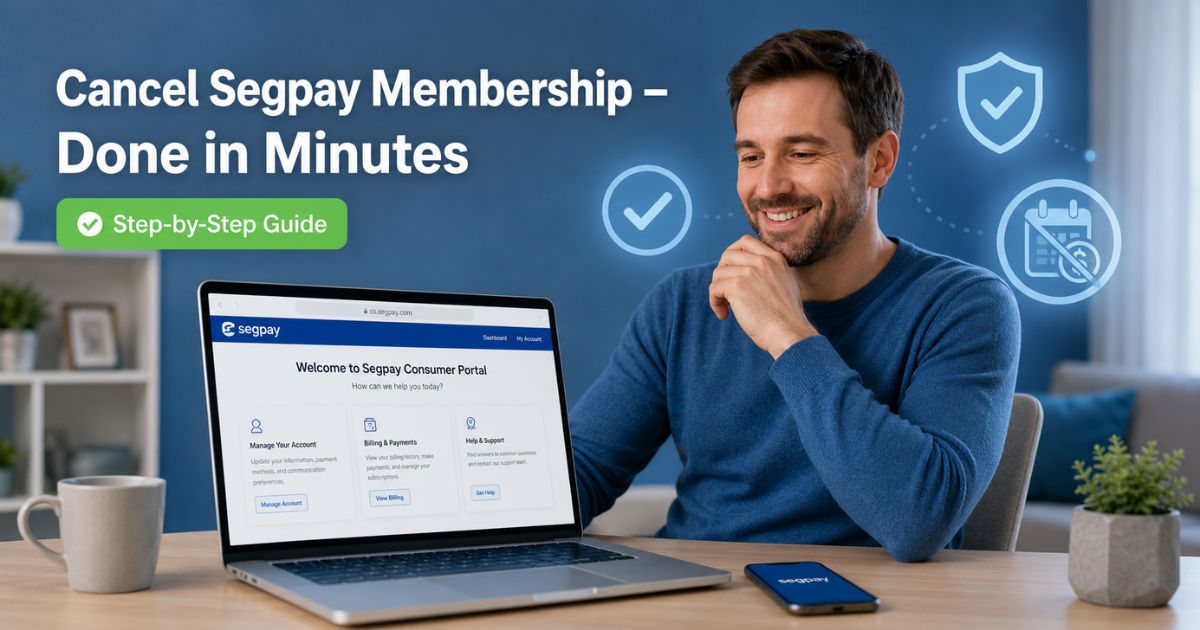
The easiest and quickest way most people cancel Segpay membership is through the official Consumer Self-Service Portal at https://cs.segpay.com/.
Here is the exact step-by-step process:
- Open your browser and go to https://cs.segpay.com/.
- Have two of these three pieces of information ready: your email address, purchase ID (found in your original confirmation email), and the first six and last four digits of the credit or debit card you used.
- Enter the details and search for your active subscription.
- Once your membership appears, look for the “Cancel the Billing” or “Cancel Membership” button.
- Follow the on-screen prompts, choose a reason if asked, and confirm.
You will usually receive an instant confirmation on screen and a follow-up email. Keep that email in a safe place.
Pro Tip
Always take a screenshot of the confirmation page and save the email right away. This small step saves hours of stress if any questions come up later.
What Happens After You Cancel?
You keep access to the service until the end of your current paid period. Billing simply stops after that date. No more surprise charges on your statement.
Alternative Ways to Cancel Segpay Membership
Not everyone prefers the online portal. Segpay offers several other reliable options so you can choose what feels easiest for you.
Cancel Segpay Membership by Phone
Call Segpay’s 24/7 support team:
- US consumers: 1-866-450-4000
- International callers: +1-954-414-1610
Have your account details ready. The friendly agent will locate your membership and walk you through cancellation in just a few minutes.
Cancel by Email
Send a clear message to help@segpay.com. Include:
- Your full email address
- Purchase ID
- First six and last four digits of your card
Most people receive a response within one business day.
Cancel by Mail (Last Resort)
If you prefer paper, mail your request to:
Segpay
220 Hillsboro Technology Dr., Suite 130
Deerfield Beach, FL 33441
Include the same details as the email method. This takes longer but works when other options are unavailable.
Here is a handy comparison table of all your options:
| Method | Time Required | Best For | Confirmation Received |
|---|---|---|---|
| Self-Service Portal | 2-5 minutes | Fastest, most convenient | Instant + email |
| Phone Support | 5-10 minutes | Need personal help | Email follow-up |
| 1 business day | No phone access | Email reply | |
| 7-14 days | No internet or email | Mailed confirmation |
Real-Life Example
Take a 39-year-old software engineer from Chicago. He signed up for a streaming service through Segpay during a busy work trip last year. Months later he noticed the charge on his credit card statement every month even though he had stopped using the site.
He tried the portal first but could not remember his purchase ID. He grabbed his old confirmation email, found the ID, and completed the process in under three minutes.
Within seconds he saw the “Billing Stopped” message. He now checks his statements monthly and feels relieved knowing he is no longer paying for something he does not use.
Common Mistake
Many people only cancel through the original merchant website instead of Segpay’s portal. This does not stop the billing because Segpay handles the actual payment processing. Always use cs.segpay.com or contact Segpay directly.
Another frequent error is forgetting to save confirmation details. Without proof, you might spend extra time on the phone later proving you already canceled.
Helpful Tips to Make Cancellation Smooth and Stress-Free
- Check your spam folder for the original purchase email, it almost always contains the purchase ID.
- Write down the exact date and time you cancel so you know when to expect the last charge.
- Consider setting a calendar reminder to review your bank statements every month. Small subscriptions add up quickly.
- If you see a post-cancellation offer pop up, read it carefully but remember you can still decline and complete your cancellation.
These small habits protect your budget and give you peace of mind.
More Questions About Segpay Subscriptions?
You might wonder about refunds or reactivating later. Segpay processes payments for many different merchants, so policies can vary slightly. The portal shows your specific details clearly.
FAQs About Segpay Cancel Membership
How long does it take to cancel Segpay membership completely?
Most cancellations through the self-service portal or phone happen instantly. You will stop future billing right away, but you keep access until the end of your current paid period. Email or mail requests usually take one to two business days for confirmation.
Can I get a refund after I cancel Segpay membership?
Refunds depend on the original merchant’s policy and how recently you were charged. Contact Segpay support directly with your purchase details. They review each case individually and will let you know if a refund is possible.
What if I cannot find my Segpay purchase ID or email?
No problem. You can still use the portal with just your credit card details (first six and last four digits) plus your email. If that does not work, call the support number and a live agent will help locate your account using your card information.
Conclusion
Canceling your Segpay membership does not have to be confusing or time-consuming. Whether you choose the quick online portal, a quick phone call, or another method, the process is designed to be straightforward and secure.
Remember the key takeaways: gather your purchase details first, use the official cs.segpay.com portal whenever possible, and always save your cancellation confirmation. By following these steps you protect your finances and free up money for things you actually enjoy.
Disclaimer: This content is for informational and educational purposes only and does not constitute professional, financial, legal, or medical advice. The information provided may not apply to your specific situation. Always consult a qualified professional for personalized guidance.

![How to Cancel PureGym Membership? [Step-by-Step]](https://cancelmembership.net/wp-content/uploads/2026/10/puregym-membership-cancellation-768x403.jpg "How to Cancel PureGym Membership? [Step-by-Step] 2")

![How to Cancel Urban Air Membership? [Step-by-Step]](https://cancelmembership.net/wp-content/uploads/2026/10/urban-air-membership-cancellation-768x403.jpg "How to Cancel Urban Air Membership? [Step-by-Step] 4")
![How to Cancel TVC Pro Driver Membership? [Step-by-Step]](https://cancelmembership.net/wp-content/uploads/2026/10/tvc-pro-driver-membership-cancellation-768x403.jpg "How to Cancel TVC Pro Driver Membership? [Step-by-Step] 5")