

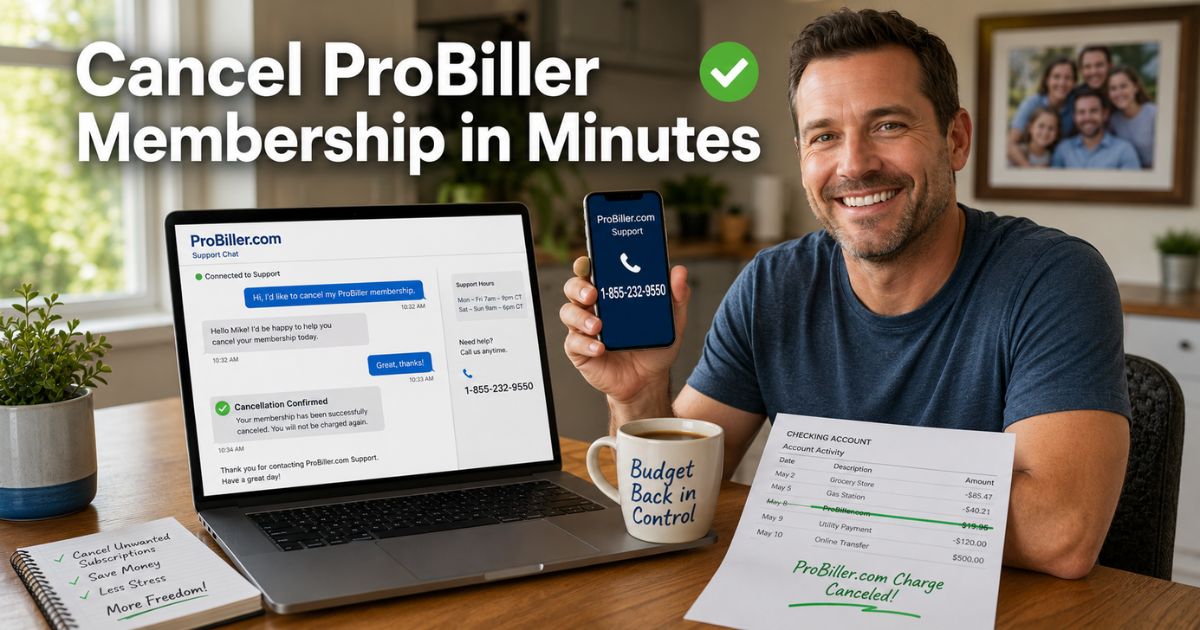
You open your bank statement and there it is again, that mysterious ProBiller charge you never signed up for on purpose. Or maybe you did try a service once, but now the monthly hits keep coming and you’re done. If you’re staring at your screen thinking, “How do I finally cancel ProBiller membership?” you’re not alone
Thousands of people face this exact situation every month. The good news is canceling is straightforward once you know who to contact. I’ll walk you through exactly how to cancel ProBiller membership using their official customer support by chat, phone, or email during posted service hours.
Why People Need to Cancel ProBiller Membership
ProBiller handles billing for lots of online services, from entertainment sites to trial offers that turn into recurring plans. Life gets busy, you forget, or the value just isn’t there anymore—suddenly those small monthly deductions add up fast.
Many folks realize they have more than one active package from the same signup. Others simply want to cut expenses. Whatever your reason, the process works the same: reach out to ProBiller support directly.
Next, I’ll show you the exact steps so you can handle it in minutes from your couch.
Understanding ProBiller Before You Cancel
ProBiller isn’t the service you joined, it’s the payment processor behind the scenes. That means your membership lives with the original merchant, but ProBiller manages the recurring charges.
Key things to know:
- Cancellations happen through ProBiller’s customer care team.
- They can stop billing right away, but you might have multiple packages to cancel.
- You’ll get an automatic confirmation email (check your spam folder).
- Access to the original service usually ends after the current period.
Pro Tip
Have your signup email, the last four digits of your card, and the exact charge date ready before you contact them. This speeds everything up and proves you’re the account holder.
How to Cancel ProBiller Membership
The official way is quick and simple—ProBiller asks customers to contact its support team Monday through Friday, 10 AM to 6 PM Eastern Time, as listed on its official website. Here’s what works best:
- Go straight to probiller.com and click the big “Start Chat” button for live help.
- Or call 1-855-232-9550 (toll-free, available around the clock).
- Tell the agent, “I want to cancel my ProBiller membership immediately.”
- Give them your email and last four card digits when asked.
- Confirm they’re canceling every active package.
- Ask for a cancellation confirmation number and watch for the email.
Most people finish in under ten minutes this way.
Other Easy Options If Chat or Phone Isn’t Your Thing
Email works great if you want everything in writing. Send your details to billingsupportd@probiller.com with the subject “Cancel My Membership.”
Common Mistake
Thinking you can just ignore the charges or cancel through your bank. That often leads to collections headaches—always contact ProBiller directly so they officially stop the billing.
Real-Life Example
Take a 38-year-old dad from Chicago who signed up for a quick trial during a late-night scroll. Months later he noticed the charges and realized they were draining his family budget.
One Tuesday evening he opened probiller.com, started the live chat, and had everything canceled in eight minutes flat. The agent even spotted a second hidden package he didn’t know about. He got his confirmation email before bedtime and slept easy knowing the next month’s bill was gone.
Stories like this person show you really can fix this fast.
Comparing Your Cancellation Options
To make the choice crystal clear, here’s a handy table:
| Method | Time to Complete | Best For | What You Need Ready |
|---|---|---|---|
| Live Chat | 5–10 minutes | Quickest answers | Email + last 4 of card |
| Phone Call | 8–15 minutes | Detailed questions | Same info plus recent charge date |
| 1–2 business days | Written proof | Full details in one clear message |
Pick whichever feels easiest for you—chat usually wins for speed.
Tips to Make Your ProBiller Cancellation Stress-Free
Want zero surprises? Keep these in mind:
- Contact them during business hours if possible for faster replies.
- Screenshot your chat or save the confirmation email.
- Check your statements for a couple months after to confirm it stopped.
- If you spot extra charges, reply to the confirmation email right away.
These little steps keep everything smooth and give you peace of mind.
What Happens After You Cancel ProBiller Membership?
Once the team processes it, your recurring billing ends on the date they confirm. You’ll still have access until the current period finishes, but no new charges hit your card.
If life changes later and you want to restart, you can usually rejoin through the original service. Most people just move on and feel lighter without the monthly surprise.
FAQs About ProBiller Cancel Membership
How long does it take to cancel ProBiller membership by phone or chat?
Most people finish the whole conversation in under 10 minutes. The agent stops all recurring charges on the spot and emails you confirmation right away. Just have your email and card details handy so they can find your account fast.
Can I cancel ProBiller membership without calling, only by email?
Yes, emailing billingsupportd@probiller.com works well if you prefer writing everything down. Include your full details and ask for a confirmation number. It may take a day or two for a reply, but you’ll have a clear paper trail.
What if I canceled my ProBiller membership but I’m still getting charged?
Double-check that all packages got canceled—sometimes extra add-ons slip through. Reply to your confirmation email or start a new chat with the reference number. The team can fix it quickly and may issue a refund if it was a mistake.
Conclusion
Canceling your ProBiller membership really is as simple as reaching out to their customer support team by chat, phone, or email during its published Monday–Friday, 10 AM–6 PM Eastern Time hours. With the right info ready and a quick confirmation email saved, those surprise charges can stop for good.
Remember that person story – thousands of people handle this every week and feel so much better afterward. Take five minutes today, open probiller.com, and knock it out. Your budget will thank you.
Disclaimer: This content is for informational and educational purposes only and does not constitute professional, financial, legal, or medical advice. The information provided may not apply to your specific situation. Always consult a qualified professional for personalized guidance.

![How to Cancel TVC Pro Driver Membership? [Step-by-Step]](https://cancelmembership.net/wp-content/uploads/2026/10/tvc-pro-driver-membership-cancellation-768x403.jpg "How to Cancel TVC Pro Driver Membership? [Step-by-Step] 2")
![How to Cancel Six Flags Membership? [Step-by-Step]](https://cancelmembership.net/wp-content/uploads/2026/10/six-flags-membership-cancellation-768x403.jpg "How to Cancel Six Flags Membership? [Step-by-Step] 3")
![How to Cancel Manscaped Membership? [Step-by-Step]](https://cancelmembership.net/wp-content/uploads/2026/10/manscaped-membership-cancellation-768x403.jpg "How to Cancel Manscaped Membership? [Step-by-Step] 4")
![How to Cancel AARP Membership? [Step-by-Step]](https://cancelmembership.net/wp-content/uploads/2026/10/aarp-membership-cancellation-768x403.jpg "How to Cancel AARP Membership? [Step-by-Step] 6")