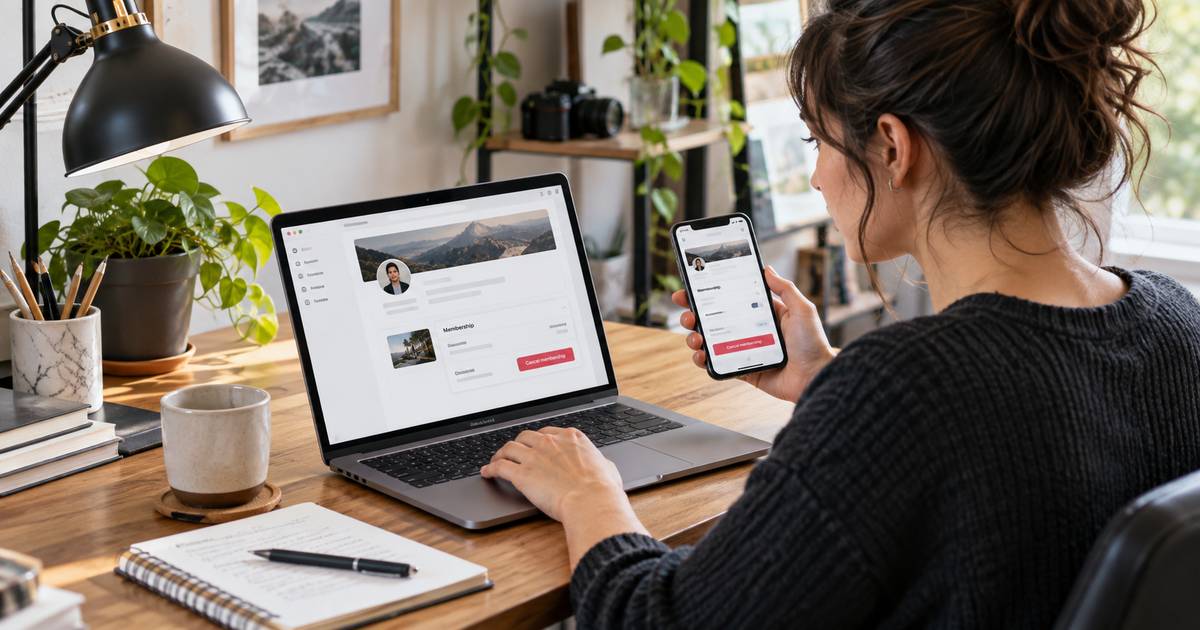
Cancel GO Car Wash membership online or at a GO Car Wash location. GO says Unlimited plans can be canceled at any time, but you should allow seven business days before the next anniversary billing date for processing.
Deleting an app or stopping visits does not cancel the plan. This guide explains the official cancellation options, the processing window, what happens after cancellation, and how refunds work.
What Is GO Car Wash Membership and How Billing Works
GO Car Wash sells Unlimited wash plans that let active members wash regularly at participating GO locations. The credit or debit card used at signup is charged monthly on the membership anniversary date.
The plan remains active until it is canceled. GO’s public FAQ says there is no long-term contract or obligation for the standard Unlimited plan, and members can discontinue the plan at any time.
Billing is controlled by GO Car Wash, not by deleting a mobile app or removing a digital wallet. To stop auto-renewal, you must submit a cancellation through an accepted GO Car Wash method.
If your signup date was the 29th, 30th, or 31st, GO says February can cause the recurring charge to occur on the 28th for a consistent payment schedule.
How to Cancel GO Car Wash Online
GO’s official FAQ says Unlimited members can discontinue the plan online. Use the membership-management option on the official GO Car Wash website and enter the requested account details.
- Open the official GO Car Wash membership-management page.
- Locate the cancellation or discontinue-plan option.
- Enter the membership and vehicle information requested.
- Review the next billing date.
- Submit the request.
- Save the email confirmation.
GO says it sends an email confirmation after a cancellation request is completed. Keep that message until the next billing date has passed.
How to Cancel at a GO Car Wash Location
You can also visit a local GO Car Wash and speak with a team member. Bring the vehicle associated with the plan or have the account information available so staff can locate the correct membership.
Ask the team member to confirm that the plan is being discontinued rather than merely changing the payment method. Request written or emailed confirmation.
If the next renewal is close, ask whether the seven-business-day processing window means one more charge is already scheduled.
The Seven-Business-Day Processing Window
GO advises members to complete updates at least seven business days before the anniversary date on which the card will be recharged. This gives the company time to process the cancellation before the next payment.
Business days are not the same as calendar days. Weekends and holidays can shorten the amount of processing time before a renewal, so submit the request earlier when possible.
If you cancel inside that window, ask GO whether the next charge will still process. Do not assume a last-minute request will immediately stop a scheduled payment.
What Happens After You Cancel
GO says the plan remains active until the next billing date after cancellation. You may continue washing during that remaining paid period.
Once the plan ends, recurring billing should stop. Keep your confirmation and check the card or bank account after the expected final date.
If another charge appears outside the expected window, contact GO with the confirmation details and ask them to verify the membership status.
Will GO Car Wash Refund the Last Payment?
GO’s official FAQ states that no refund is given when a member discontinues the plan. Instead, the plan remains active through the next billing date.
If you believe a charge was made after the membership should have ended, that is different from asking for a refund of a valid paid period. Contact GO with your cancellation confirmation and transaction date.
If the company confirms a billing error but it is not corrected, you can ask your card issuer about its dispute process.
Tips for a Smooth GO Car Wash Cancellation
- Cancel more than seven business days before renewal.
- Confirm the vehicle and membership on the request.
- Save the cancellation email.
- Note the last date you can use the plan.
- Review the next statement for another GO charge.
For similar wash-club policies, see our ZIPS cancellation guide and Soapy Joe’s cancellation guide.
Common Problems and Solutions
You cannot find the membership online: Visit a GO location and ask a team member to locate the plan using your vehicle and account details.
You canceled but did not get an email: Contact GO and ask whether the request was completed. Do not rely on an incomplete web form.
You were charged after a late cancellation: Check the seven-business-day window and anniversary date.
You changed cards: A payment-method change does not cancel the plan. Submit a cancellation separately.
If You Have More Than One Vehicle
Families can have more than one GO Car Wash plan. Canceling the membership associated with one vehicle does not necessarily close another plan under the same email or payment method.
Before submitting the request, list the vehicles and recurring charges you expect to stop. After cancellation, compare each remaining plan with your card statement so an additional membership is not overlooked.
How to Verify the Final Charge
When the cancellation is processed, compare the confirmation date with your monthly anniversary date. If a charge was scheduled inside the processing window, ask whether it is the final valid payment or an error.
Keep the confirmation email and the related statement together until one full cycle passes without another GO charge.
Cancel Before a Holiday or Weekend
Because GO uses a seven-business-day processing recommendation, weekends and holidays can reduce the time available before renewal. If the anniversary date is near a holiday period, submit the request earlier than usual.
Do not count seven calendar days and assume that meets a seven-business-day window. When timing is close, ask GO to confirm whether the next charge has already entered processing.
Keep the cancellation email through the next billing cycle.
FAQs About GO Car Wash Membership
Q. How do I cancel GO Car Wash membership?
A. Submit the cancellation online through GO’s official membership tools or visit a local GO Car Wash and speak with a team member.
Q. How early should I cancel?
A. GO recommends at least seven business days before the monthly anniversary billing date.
Q. Can I still wash after canceling?
A. GO says the plan remains active until the next billing date, so you can generally use it through that period.
Q. Will I get a refund?
A. GO states that it does not issue a refund simply because you discontinue the plan. The membership remains active through the paid period.
Conclusion
The reliable way to cancel GO Car Wash membership is to submit the request online or at a GO location at least seven business days before renewal. Save the confirmation and note the final active date.
Then review the next statement to confirm auto-renewal stopped. If a later charge appears, your confirmation gives you the information needed to resolve it.
Disclaimer: This article provides general educational information based on publicly available details at the time of writing. It is not financial or legal advice, and cancellation, billing, and refund policies may vary. For account-specific help, contact the service or your payment provider directly.

![How to Cancel RuneScape Membership? [Step-by-Step]](https://cancelmembership.net/wp-content/uploads/2026/10/runescape-membership-cancellation-768x403.jpg "How to Cancel RuneScape Membership? [Step-by-Step] 3")