Picture this. You signed up for unlimited car washes thinking it would save you time and money. But life got busy, you moved across town, or maybe your budget tightened.
Now those monthly charges feel like an unwanted surprise hitting your bank account. If you’re wondering how to cancel Flagship membership without the headache, you’re in the right place.
Flagship Carwash offers convenient unlimited wash plans, but canceling is straightforward once you know the exact steps. You’ll learn the official ways to stop your plan, the critical 5-day timing rule, and smart tips to make the process smooth.
What Is Flagship Car Wash Membership?
Flagship Carwash runs several locations, mostly in the Northern Virginia area, and gives drivers easy access to unlimited exterior and interior washes through monthly subscription plans.
You pick from different tiers, Basic, Super, Deluxe, or their top Flagship Unlimited option, depending on how often you want that fresh-car feeling.
The membership renews automatically each month, which works great when you’re washing your car weekly. But when your needs change, you want a quick and painless way to cancel Flagship car wash membership.
The good news? The company built the process to be user-friendly through their online portal and simple request form.
Why People Decide to Cancel Flagship Membership
Life happens. Maybe you switched jobs and now commute less. Or you moved to an area without a convenient Flagship location.
Some folks simply find they don’t use the unlimited washes as often as they thought. Whatever your reason, canceling is your right, and Flagship makes it possible.
Common reasons include budget changes, switching to a different car-wash chain, or just wanting to pause the service temporarily. The key is acting before your next billing date so you avoid extra charges.
How to Cancel Flagship Membership Step by Step
Canceling takes just a few minutes when you follow these clear instructions. Here are the two official methods that work every time.
Use the Online Portal (Fastest Option)
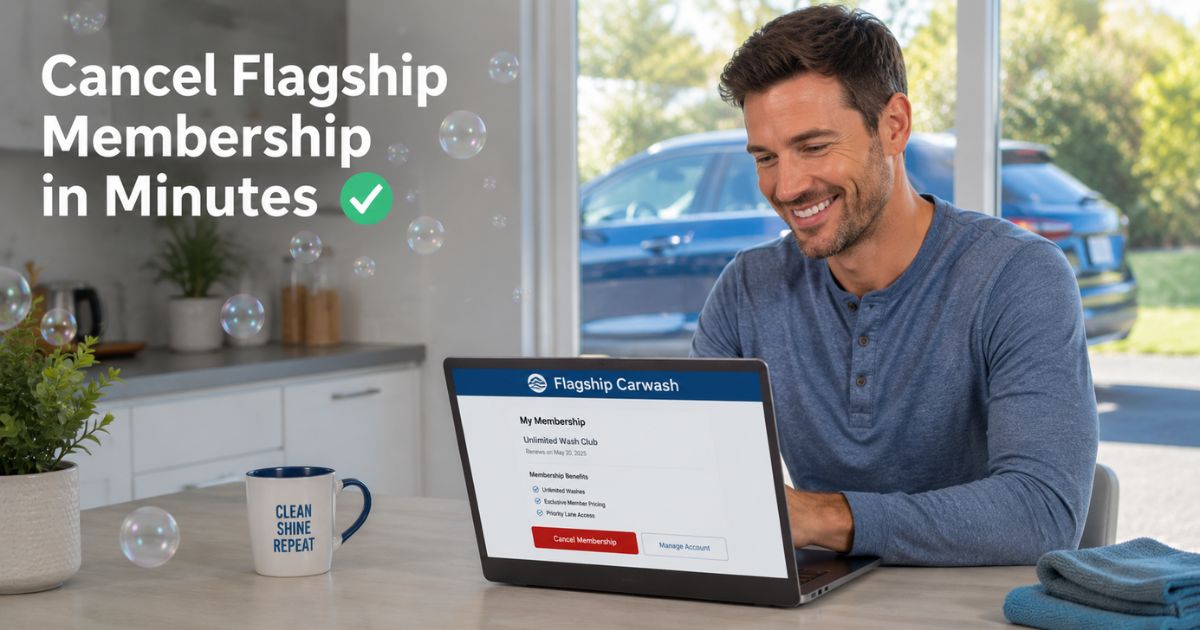
Head straight to https://portalv2.wash.me/Flagship. Log in with the email and password you used when you signed up. Once inside, click “MANAGE MY PLAN.” You’ll see a clear option to cancel your membership. Follow the prompts, confirm your choice, and you’re done.
Submit the Cancellation Request Form
If you prefer, visit https://www.flagshipcarwash.com/membership-cancellation/ and fill out the short form. Include your account details and reason for canceling (optional but helpful). Submit it, and their team handles the rest.
You can also call (703) 468-1414 or use the live chat on their website for extra help. Either way, the process stays simple and stress-free.
Important Timing Rules You Must Know
Here’s the part most people miss. You must submit your cancellation request at least 5 days before your plan’s next recharge date. This timing prevents the next monthly charge from hitting your card.
Check your bank or credit card statement to see your exact billing day. If you miss the window, you’ll still get charged for that month, but you can continue using your washes until the cycle ends. Plan ahead, and you’ll avoid surprises.
Pro Tip: Take a quick screenshot of your confirmation page after canceling. Save the email receipt too. This simple step gives you proof if any questions pop up later.
What Happens After You Cancel Flagship Membership
Once processed (usually 2-3 business days), your plan stops renewing. You can still roll into any Flagship location and use your remaining washes until the last day of your current billing cycle. No partial refunds apply, but you get full use of what you already paid for.
Your account stays active until the end date, so you won’t lose access right away. After that, everything shuts off automatically, no extra steps needed.
Common Mistake: Waiting until the last minute to cancel. Many people assume they can cancel on the day of the next charge and still avoid it. This leads to frustration and an extra month of billing. Always check your recharge date first.
Real-World Example
Take a 35-year-old teacher from Fairfax, Virginia. She loved her Flagship membership during the school year when her daily commute meant dirty cars every week. But when summer break hit and she started working from home, the monthly fee no longer made sense.
She logged into the portal one morning, clicked MANAGE MY PLAN, and canceled in under two minutes. She took screenshots, noted her billing date, and even called customer service to confirm. Two days later, she received an email saying her plan would end at the close of the current cycle.
No surprise charges appeared, and she still enjoyed one last free wash before it wrapped up. Sarah now recommends the portal method to all her friends.
Alternative Options If You Want to Switch Car Washes
Not sure what to do after canceling? Plenty of other unlimited wash clubs exist. Some offer no-contract plans or better locations for your new routine.
Here’s a quick comparison table to help you decide:
| Car Wash Club | Cancellation Notice | Partial Refunds? | Monthly Price Range | Locations in DMV Area |
|---|---|---|---|---|
| Flagship Carwash | 5 days before billing | No | $19–$49 | Multiple VA spots |
| LUV Car Wash | Anytime via app | No | $22–$45 | Growing network |
| Other Local Chains | Varies (usually 7 days) | Sometimes | $15–$55 | Varies |
Choosing the right replacement depends on your driving habits and closest locations. Many now let you manage everything from a phone app, which feels even easier than before.
Tips to Make Canceling Even Smoother
- Double-check your email address in the portal before you start.
- Write down your membership ID or plate number just in case.
- If you signed up through a third-party app, cancel directly through Flagship’s site instead.
- Set a calendar reminder 10 days before your next billing date so you never miss the window again.
These small habits save time and keep everything running smoothly.
Troubleshooting Common Cancellation Issues
Sometimes things don’t go perfectly on the first try. If the portal says your plan is still active after you canceled, wait the full 2-3 business days. Then reach out via live chat or phone.
If charges keep appearing, contact your bank right away with your screenshots. Most issues clear up quickly when you have documentation ready. Flagship’s team works hard to fix problems, especially when you stay polite and prepared.
How to Cancel Flagship Membership on Mobile
You don’t need a desktop computer. Open your phone’s browser, visit the portal link, and log in just like you would on a laptop. The mobile version works great and fits perfectly on your screen. Many people complete the whole process while waiting in line or during lunch.
Long-Term Benefits of Knowing How to Cancel Subscriptions
Learning to cancel Flagship membership teaches you a bigger skill: managing recurring charges across all your services. From streaming apps to gym plans, staying on top of subscriptions keeps your budget healthy and stress low. You’ll feel more in control of your money every month.
FAQs About How to Cancel Flagship Membership
How long does it take for Flagship to process my cancellation request?
Most requests get processed within 2-3 business days after you submit them. Once approved, your membership stops renewing at the end of your current billing cycle. You’ll receive an email confirmation so you know exactly when it ends. If you don’t see the email after three days, reach out through live chat or call (703) 468-1414.
Can I cancel Flagship membership over the phone or do I have to use the website?
You can call customer service at (703) 468-1414 for help, but they still direct most people to the online portal or cancellation form. Using the website or form creates an official record and usually speeds things up. Phone support works best when you need extra guidance or run into a technical glitch.
What if I miss the 5-day window to cancel Flagship car wash membership?
You’ll still get charged for the next month, but you can use all the washes until the billing cycle ends. Your cancellation will then take effect after that. To avoid this, check your bank statement for the exact recharge date and submit your request early. Setting a phone reminder makes it easy to stay on track.
Conclusion
Canceling your Flagship membership doesn’t have to feel overwhelming. By using the online portal or simple request form, timing your request correctly, and keeping records handy, you can stop charges smoothly and keep using your remaining washes.
Remember the 5-day rule, take advantage of the easy mobile options, and don’t hesitate to contact support if you need help along the way.
You now have everything you need to take control of your subscription and free up that monthly budget for something else you love. Whether you’re switching car washes or just taking a break. Go ahead and handle it today, you’ll feel lighter once it’s done.
Disclaimer: This content is for informational and educational purposes only and does not constitute professional, financial, legal, or medical advice. The information provided may not apply to your specific situation. Always consult a qualified professional for personalized guidance.

![How to Cancel Weight Watchers Membership? [Step-by-Step]](https://cancelmembership.net/wp-content/uploads/2026/10/weightwatchers-membership-cancellation-768x403.jpg "How to Cancel Weight Watchers Membership? [Step-by-Step] 2")